

Building a professional portfolio can feel intimidating, especially when you are still in college and have limited work experience. You might assume portfolios are only for graphic designers, photographers, or people who have already established careers. That isn’t the case. College students can use class assignments, research projects, internships, volunteer experiences, and extracurricular activities to demonstrate their abilities.
A professional portfolio gives employers a closer look at what you can do beyond what appears on your résumé. It provides examples of your work, highlights the skills you have developed, and shows how you approach different projects. Creating one while you are still in school can also help you prepare for internships, job applications, and future career opportunities.
The process doesn’t have to be complicated. With the right platform, a few carefully selected projects, and an organized layout, you can create a professional portfolio that reflects your experience and career goals.
What Is a Professional Portfolio?
A professional portfolio is a collection of work samples and accomplishments that demonstrates your skills, experience, and abilities. It gives potential employers something concrete to review instead of relying entirely on a résumé or interview.
Portfolios can be physical or digital, although online portfolios are especially useful for students. A digital portfolio can include written assignments, presentations, photographs, design projects, research, videos, and links to completed work. It can also be updated as you gain experience.
Unlike a résumé, which summarizes your qualifications, a portfolio provides evidence of them. For example, a marketing student might list social media management as a skill on a résumé. Their portfolio could include an actual social media campaign they developed, examples of the graphics they designed, and an explanation of the strategy behind the project.
You do not need years of professional experience to create one. Your college education already provides opportunities to develop and demonstrate valuable skills.
How to Create a Professional Portfolio as a College Student: 7 Steps
Creating a portfolio is easier when you approach it one step at a time. You do not need to have everything figured out before getting started. Begin with the work you already have and build from there.
Step 1: Identify Your Career Goals and Target Audience
Before choosing a platform or uploading projects, think about what you want your portfolio to accomplish.
Are you applying for internships? Looking for your first full-time position? Trying to build connections within a particular industry? Your answers will influence what you include and how you present it.
Consider the type of employer or recruiter who will be viewing your portfolio. Look at job descriptions for positions that interest you and identify the skills employers frequently request.
For example, a student pursuing marketing might notice that employers regularly ask for experience with content creation, social media, communication, and analytics. Those skills can help determine which college projects deserve a place in the portfolio.
A few questions to consider:
- What industries or positions interest me?
- Which skills do employers in those fields expect?
- What examples of my work demonstrate those skills?
- What do I want someone viewing my portfolio to remember about me?
Having a clear direction will make it easier to select relevant projects instead of including everything you have ever completed.
Step 2: Choose a Portfolio Platform
Once you understand your goals, decide where you want to build your portfolio. There are several platforms available, and the best option depends on your experience, budget, and the type of work you want to showcase.
Here are five options worth considering:
Canva
Canva is useful for students who want to create a visually appealing portfolio without advanced design experience. It offers templates for presentations, documents, and websites. It works particularly well for marketing materials, presentations, branding projects, and other visual content.
Website: https://www.canva.com/
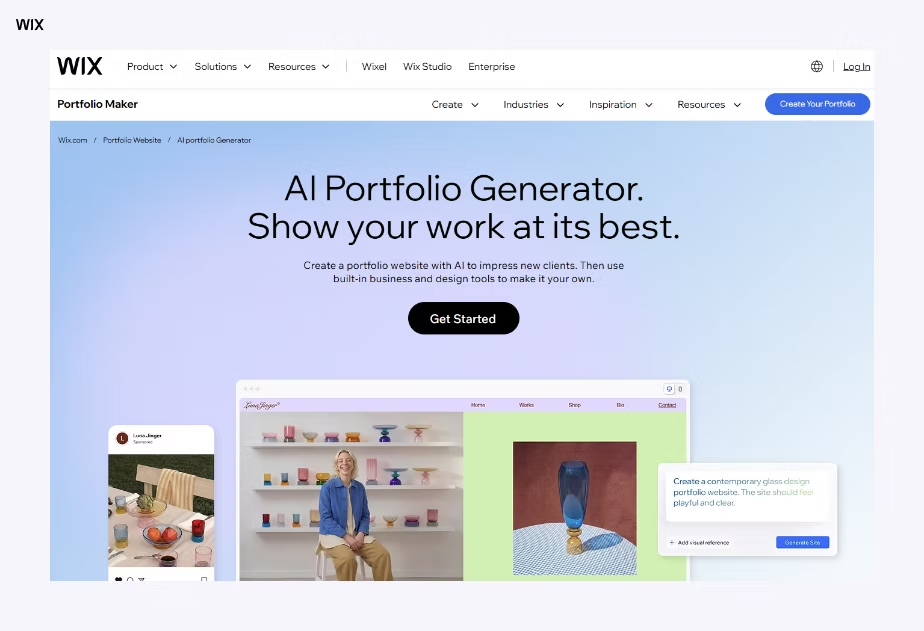
Wix
Wix allows users to create a personal website with customizable layouts and portfolio features. It is a good option for students who want more control over their website’s appearance and organization.
Website: https://www.wix.com/
Google Sites
Google Sites is a straightforward option for students who want to organize projects into different pages without learning web development. It can be useful for writing samples, presentations, research projects, and other academic work.
Website: https://sites.google.com/
Adobe Portfolio
Adobe Portfolio is designed for showcasing creative work through a professional website. It is particularly useful for photographers, designers, illustrators, and other students who work with visual media. Publishing requires an eligible Creative Cloud subscription, so students should check their access before choosing it.
Website: https://portfolio.adobe.com/
Behance
Behance is an online platform where creative professionals and students can display projects and discover other work. It is especially useful for graphic design, photography, illustration, and creative marketing projects.
Website: https://www.behance.net/
The best platform is the one that allows you to present your work clearly and makes it easy for employers to navigate. A complicated website is not necessarily better than a simple, well-organized one.
Step 3: Gather Your Work Samples
This is often the most challenging part for college students. Many assume they need internships or professional clients before they have anything worth showing. In reality, there are plenty of ways to demonstrate your abilities while still in school.
Start by reviewing previous coursework, extracurricular activities, employment experiences, and personal projects.
Some examples include:
- Class assignments: Research papers, presentations, case studies, and major course projects.
- Group projects: Collaborative presentations, marketing plans, business proposals, and research assignments.
- Internships: Reports, campaign materials, completed projects, and other approved work samples.
- Part-time employment: Training materials, customer service achievements, organizational projects, or examples of leadership.
- Volunteer experience: Promotional materials, event planning, fundraising campaigns, and community projects.
- Extracurricular activities: Student organization leadership, event coordination, creative projects, and campus involvement.
- Personal projects: Blogs, photography, graphic design, videos, and independent research.
You do not need to include every assignment or activity. Choose examples that demonstrate skills relevant to your career interests.
If you have limited experience, consider creating a project specifically for your portfolio. A mock advertising campaign, personal website, sample business proposal, or independent research project can demonstrate initiative and creativity.
Always make sure you have permission to share materials from employers, instructors, or group projects. Remove confidential information and clearly identify which portions of collaborative work you personally completed.
If you’re looking for more ideas on how to present your experience, check out our guide on How to Build a Professional Portfolio in College. It offers additional guidance on showcasing your academic work, extracurricular activities, and other experiences in a professional portfolio.

Step 4: Organize Your Portfolio Into Clear Sections
After gathering your materials, decide how visitors will navigate your portfolio. An organized layout makes it easier for employers to find the information they need.
Most college student portfolios can include the following sections:
1. Introduction or About Me
Start with a brief introduction that explains who you are, what you study, and what professional interests you. Keep it focused on your education, skills, and career goals.
2. Résumé
Include an updated résumé with your education, relevant experience, skills, certifications, and accomplishments. Make sure the information matches what appears elsewhere in your portfolio.
3. Projects and Work Samples
This should be the main section of your portfolio. Organize projects into categories that make sense for your field. For example, a business student might separate marketing projects, research, and presentations.
4. Skills and Certifications
Highlight relevant technical and professional skills. These might include software knowledge, writing, communication, research, data analysis, or design.
5. Contact Information
Make it easy for potential employers to reach you. Include a professional email address and a link to your LinkedIn profile if you have one.
You can also organize projects by industry, skill, or date. The goal is to create a structure that feels natural rather than forcing visitors to search through unrelated materials.

Step 5: Write Descriptions That Explain Your Work
Uploading a project without explaining it does not tell an employer very much. Each portfolio entry should provide context about what the project involved, what you contributed, and what skills you demonstrated.
A helpful format is:
- Project: What did you create or complete?
- Purpose: What was the assignment or objective?
- Your role: What responsibilities did you personally handle?
- Skills used: Which abilities or tools did you apply?
- Outcome: What did you accomplish or learn?
For example, a marketing student might include the following entry:
Project: Social Media Marketing Campaign
Purpose: Develop a social media strategy for a fictional small business as part of a college marketing course.
My Role: Researched the target audience, planned content topics, created sample graphics, and developed a posting schedule.
Skills Demonstrated: Content creation, audience research, branding, communication, and strategic planning.
Outcome: Created a coordinated campaign with consistent messaging and visual elements designed to reach a specific audience.
This description gives employers a better understanding of the student’s involvement than simply uploading a few graphics.
For group assignments, be transparent about your individual contributions. Employers want to understand what you can do, not just what a team accomplished.

Step 6: Design a Professional and Easy-to-Navigate Layout
Your portfolio should look polished without distracting visitors from the actual work. You do not need expensive software or advanced graphic design skills to achieve this.
A few design considerations can make a noticeable difference:
- Use consistent fonts: Stick to two or three complementary fonts throughout the website.
- Choose a simple color palette: Select colors that work well together and maintain consistency.
- Use clear headings: Organize pages and projects so visitors can quickly find information.
- Include quality images: Use clear, relevant visuals that support the content.
- Avoid overcrowding: Leave enough space between sections and projects.
- Check mobile compatibility: Make sure the portfolio works on phones, tablets, and computers.
Remember that your portfolio should complement your work rather than compete with it. A creative student may choose a more visual design, while someone pursuing finance or business might prefer a straightforward layout.
Professional does not have to mean boring. It means intentional, organized, and appropriate for the industry you want to enter.

Step 7: Review, Publish, and Share Your Portfolio
Before publishing, take time to review the entire portfolio. Small mistakes can make an otherwise strong presentation appear unfinished.
Check for:
- Spelling and grammatical errors.
- Broken links or missing files.
- Outdated résumé information.
- Inconsistent formatting.
- Low-quality or irrelevant images.
- Missing project descriptions.
- Contact information that is difficult to find.
Open your portfolio on multiple devices to make sure everything displays correctly. If possible, ask a professor, career advisor, or classmate to review it and provide feedback.
Once everything is ready, publish the website and test the link. Add it to your résumé, LinkedIn profile, internship applications, and professional email signature when appropriate.
Your portfolio should continue developing as you gain experience. Set aside time each semester to add new projects, remove outdated work, and update your professional goals.

What Should a College Student Include in a Professional Portfolio?
The contents of a portfolio will vary depending on your major and career interests. However, students in almost any field can find ways to demonstrate their abilities through academic and personal projects.
Here are a few examples:
Marketing and Communications Students
- Social media campaigns
- Blog posts and writing samples
- Graphic design projects
- Marketing research
- Branding and advertising strategies
- Content calendars
- Public relations materials
Business and Finance Students
- Business plans
- Financial analysis projects
- Case studies
- Market research reports
- Data presentations
- Budgeting projects
- Leadership and organizational examples
Graphic Design and Creative Students
- Illustrations and digital artwork
- Photography
- Branding projects
- Website designs
- Video and animation samples
- Logo concepts
- Creative campaigns
Technology and Computer Science Students
- Programming projects
- Website development
- Application prototypes
- Database projects
- Technical documentation
- Coding samples
- Personal software projects
Education and Psychology Students
- Lesson plans
- Research papers
- Classroom activities
- Educational presentations
- Research posters
- Relevant certifications
- Volunteer or community involvement
These examples are starting points, not strict requirements. The most effective portfolio is one that reflects the student’s actual experience and demonstrates skills relevant to their intended career.
Tips for Creating a Portfolio With Little or No Work Experience
Not having professional experience does not mean you have nothing to show. Employers understand that college students are still developing their skills. What matters is how you demonstrate your potential.
Here are some ways to build a portfolio even if you have never completed an internship.
Use your coursework strategically. Choose assignments that demonstrate skills related to your career interests. A well-developed class project can be a strong work sample when presented with the right context.
Create independent projects. If you want to pursue marketing, develop a sample campaign for a business you admire. If you are interested in graphic design, create a branding concept. Independent projects can demonstrate initiative and creativity.
Include volunteer experiences. Helping organize an event, managing social media for a student organization, or creating promotional materials for a nonprofit can provide valuable examples of your abilities.
Explain what you learned. Employers are not only interested in the final product. They also want to understand your thought process, the challenges you faced, and the skills you developed.
Focus on quality instead of quantity. A few strong, relevant projects are more effective than dozens of unrelated assignments. Select work that supports the professional image you want to communicate.
Common Portfolio Mistakes College Students Should Avoid
Even a portfolio with impressive projects can become less effective if it is difficult to navigate or poorly presented.
Watch out for these common mistakes:
Including too much information. A portfolio should highlight your strongest work, not serve as a storage folder for every assignment you have completed.
Using an inconsistent design. Different fonts, colors, and layouts can make the website feel unfinished. Choose a visual style and use it throughout.
Forgetting to explain projects. Employers should not have to guess what a project involved or what your role was. Include a short description with every major work sample.
Ignoring mobile users. A website that looks good on a laptop may be difficult to navigate on a phone. Always preview your portfolio on different screen sizes.
Leaving outdated information online. Update your résumé, contact details, and projects as your experience changes.
Making exaggerated claims. Be honest about your contributions, skills, and accomplishments. Your portfolio should accurately represent your abilities.
Frequently Asked Questions About Creating a Professional Portfolio
Do college students need a professional portfolio?
A professional portfolio is not required for every job or internship, but it can help students demonstrate their abilities beyond a résumé. It is especially useful for fields that involve writing, design, marketing, technology, research, and other project-based work.
How many projects should a college student include in a portfolio?
There is no universal requirement. Starting with three to five strong, relevant projects is a reasonable approach for many students. Focus on showing different skills rather than including as many assignments as possible.
Can I include college assignments in my professional portfolio?
Yes. College assignments can be valuable work samples, particularly when they demonstrate skills relevant to your intended career. Research papers, presentations, group projects, case studies, and creative assignments can all be included. Make sure you explain the purpose of each project and your individual contribution.
What is the best free website for creating a student portfolio?
The best option depends on the type of work you want to showcase. Google Sites and Canva offer accessible starting points for students who want to create and share a portfolio. Wix and other website builders offer additional design options, although some features may require payment.
Should I include my résumé in my portfolio?
Yes. Including an updated résumé makes it easier for employers to review your education, experience, and qualifications alongside your work samples. Make sure the information is consistent across both documents.
How often should I update my professional portfolio?
Review your portfolio at least once each semester. Add relevant coursework, internships, certifications, and personal projects as you gain experience. Remove outdated or weaker examples when you have stronger work to replace them.
Should I make my portfolio public?
A public portfolio makes it easier to share your work with employers and include a link on job applications. However, avoid publishing private information, confidential projects, or materials you do not have permission to share. Some platforms also allow password-protected pages if you need to limit access.
Start Building Your Professional Portfolio Today
Creating a professional portfolio as a college student does not require years of experience or an impressive list of internships. It starts with recognizing the skills you already have and finding meaningful ways to demonstrate them.
Coursework, personal projects, volunteer activities, and extracurricular involvement can all provide valuable examples of your abilities. The key is to choose relevant work, explain your contributions, and organize everything in a way that is easy for employers to understand.
Your portfolio will change as you gain experience. Start with what you have now, continue adding to it, and use it as a way to show how your skills develop throughout college.